HD Camera 2026 for Android
Pixl Concerto TechPhotography
4.61.94K Reviews
- Version
- 2.4
- Installs
- 10.00M
- Age Rating
- Teen
Screenshots
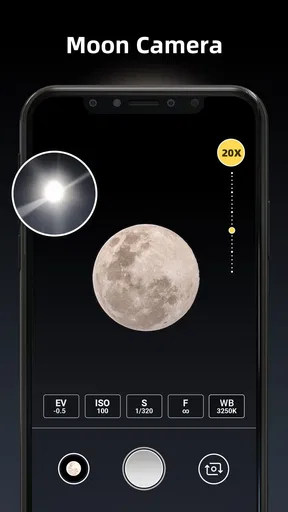
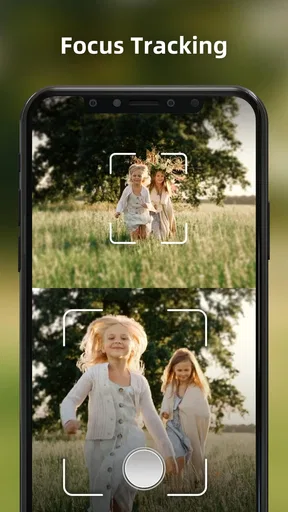
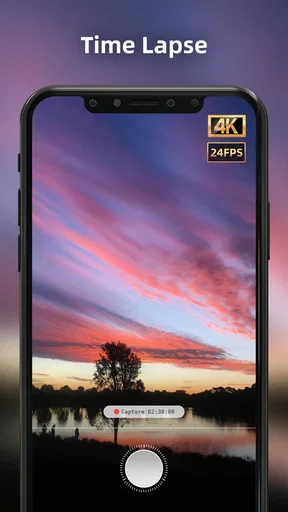
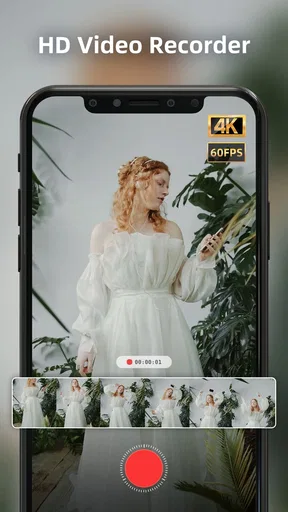
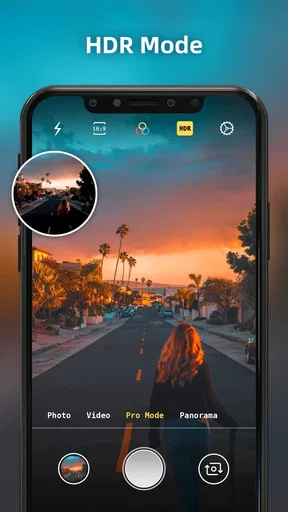
Our Review of HD Camera 2026 for Android
 Analysis by Appyee
I spent time with HD Camera 2026 as a photography app on Android, using it in the situations where I normally reach for a phone camera: quick portraits, indoor snapshots, short video clips, and scenes where the default camera feels a little too limited. My first impression was that it aims to give everyday Android photography a more manual, camera-like feel without turning the screen into a confusing wall of controls.
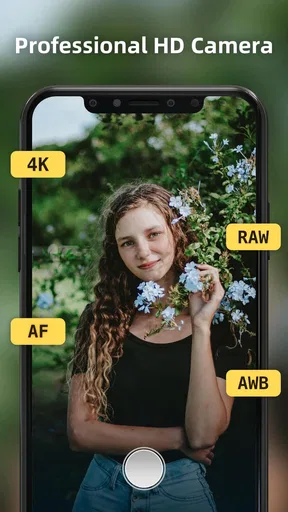
That balance is its main appeal. The app is free to install, and Pixl Concerto Tech has positioned it for people who want more control over photos and video while still being able to open the camera and shoot quickly. It supports RAW capture, 4K video, and brighter HD selfie work, so it is more ambitious than a simple filter camera. At the same time, it is not automatically the best replacement for every phone’s built-in camera. The experience depends heavily on the handset, its camera hardware, and how much time you want to spend adjusting a shot.
How the current version feels in everyday use
The current release is version 2.4, and the app works on Android 5.0 or later. That broad compatibility matters because it makes the app relevant to owners of older phones as well as recent devices. I would not treat that minimum requirement as a promise that every advanced option will behave identically on every handset, though. Camera access, available lenses, video resolution, and RAW support can vary substantially between Android models.
Opening a third-party camera app always creates a small moment of uncertainty: will it launch quickly, expose the controls I need, and save the result where I expect? HD Camera 2026 is most useful when I approach it as a flexible capture tool rather than a replacement that must outperform the phone camera in every automatic scene. For a carefully framed image, the extra control can be worthwhile. For a child suddenly doing something funny, the built-in camera may still be faster if it is already integrated into the lock screen or power-button shortcut.
The app’s photography focus becomes clear in the way its purpose combines still images, selfies, and video. I can imagine using the standard camera for quick daylight photos, switching to a more deliberate setup for a difficult indoor shot, and then using the same app when I want to record a higher-resolution clip. That makes it more practical than an app built only around filters or social sharing.
Its audience is also reflected in its reception. It has an average rating of 4.6 from around 118 thousand ratings, with more than 10 million installs. Those figures suggest that the app has reached well beyond a small group of manual-camera enthusiasts. I still recommend judging it on your own device, because camera apps are unusually sensitive to hardware differences. A result that feels excellent on one Android phone may feel merely adequate on another.
What the camera approach gets right
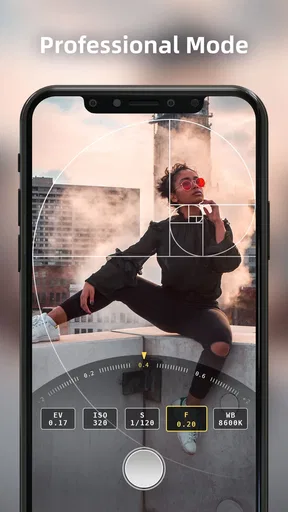
The strongest idea here is giving the user a choice between speed and control. If I only want a record of a moment, I can treat it like a normal phone camera. If the light is awkward or the composition matters, the professional-style controls become more useful. That is a better design direction than forcing every user through manual settings before taking a simple picture.
RAW capture is especially interesting for photographers who edit their images afterward. A RAW file can preserve more flexibility for exposure and color adjustments than a heavily processed phone image, but it also creates a more demanding workflow. I would use it for a sunset, a dim interior, or a subject with bright windows behind it—not for every casual snapshot. RAW files take more storage and usually need editing before they look as ready to share as a normal JPEG or processed phone photo.
A practical tip is to compare a normal capture and a RAW capture of the same scene rather than assuming RAW is always superior. If the phone’s automatic processing produces a pleasing image in good light, the regular file may be the better choice for speed. RAW earns its place when I expect to correct shadows, highlights, or white balance later. That distinction is easy to miss in a short store description, but it makes a real difference to how useful the feature becomes.
Video and selfie work in a realistic workflow
The 4K video option gives the app a clear role for users who want more detail in clips or who plan to crop footage later. I would use it for a short travel sequence, a product demonstration, or a family recording where image detail matters. I would be more cautious about selecting the highest resolution for long recordings, because higher-resolution video can consume storage quickly and may place more demand on the phone than a shorter casual clip.
For everyday video, I would first decide where the recording will be watched. If it is going straight to a messaging app or a social feed, 4K may offer little visible benefit after compression. If I am keeping the original, editing it, or framing the shot carefully, the extra resolution makes more sense. This is one of the app’s useful trade-offs: the feature is valuable, but choosing it automatically for every clip is not necessarily smart.
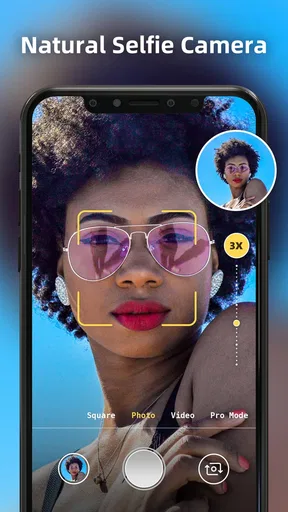
The brighter HD selfie focus is helpful in the common situation where a front camera produces a dull indoor portrait. I found that the idea is most useful when I improve the light around me at the same time. A camera app can lift the recorded image, but it cannot fully replace a window, a lamp placed in front of the face, or a cleaner background. For a quick video call-style recording or a casual portrait, the brighter selfie mode can be convenient; for a carefully edited portrait, I would still pay more attention to the actual lighting than to the label on the mode.
One workflow I would recommend is to use the selfie mode for framing first, then move slightly toward the available light before recording. This avoids asking software to rescue a face that is almost completely in shadow. It is a small habit, but it usually produces a more natural result than simply increasing brightness after capture.
How it compares with the usual Android camera
The default camera app remains the safer choice for many people. It is normally tuned for the specific phone, knows which lenses and stabilization systems are available, and often offers the quickest access to portrait, night, or computational photography features. It may also handle switching between cameras more smoothly because it is built alongside the device software.
HD Camera 2026 makes more sense when the default app does not give enough control, when you want to experiment with RAW, or when you prefer one camera interface for both stills and video. It is also a reasonable option for an older Android phone whose original camera software feels basic. I would not install it expecting a third-party app to create hardware capabilities that the phone does not have. A device without a compatible sensor cannot become a true multi-lens camera simply because another interface is installed.
Compared with a dedicated manual-camera application, this app appears aimed at a broader audience. That can be an advantage for someone who wants professional-style options occasionally rather than a full-time photography workstation. The trade-off is that a specialist app may offer deeper control or a more refined workflow for experienced photographers. If your work depends on repeatable manual exposure, detailed focus control, or a carefully organized editing pipeline, you should test the exact controls you need before making this your main camera.
What changed for existing users
The release history places the app’s arrival on July 22, 2022, while the current version is 2.4. That combination suggests an app that has continued beyond its initial launch rather than remaining at its first release. I see the current build as a maintained stage in the product’s development, with the emphasis still centered on accessible camera tools, higher-resolution video, selfie improvement, and RAW photography.
For someone already using an earlier build, the most important question is not simply whether the version number is newer. It is whether the current camera behaves reliably on the particular phone after updating. Camera applications can be affected by Android updates, manufacturer changes, sensor support, and storage behavior. I would take a few test photos and a short video after installing the current version before trusting it for an important event.
Existing users should also revisit their habits after an update. A setting that was suitable for quick sharing may not be ideal for RAW work or 4K recording. Before a trip or a family occasion, I would check the selected capture mode, try a short recording, and confirm that the saved files open correctly in the gallery or editor I normally use. That simple check is more valuable than discovering a workflow problem when the moment has already passed.
The app is free, but it includes in-app purchases ranging from $0.99 to $2.99 per item. I would approach those purchases as optional additions rather than part of the basic reason to install it. The free starting point makes experimentation easy, while the small purchase range limits the financial risk if the interface does not suit me. Still, I would spend time with the free experience first and only pay after confirming that the controls and output fit my phone.
Where the experience still has limits
The biggest limitation is the gap between a camera interface and camera hardware. A manual control cannot remove lens softness, small-sensor noise, weak stabilization, or slow autofocus. In low light, a phone’s built-in computational processing may produce a cleaner result than a more manual capture. I would therefore compare both apps in the same room and at the same time instead of assuming that the professional label guarantees a better image.
RAW is another area where expectations need to stay realistic. It offers editing flexibility, but it also adds work. If I want to take a photo, apply an automatic look, and share it immediately, a normal processed image is usually more convenient. RAW becomes a strength only when I am prepared to edit and manage larger files. Users who mainly take casual snapshots may find the feature interesting but rarely necessary.
Video resolution creates a similar compromise. A 4K option is useful, but it can make storage management more important. I would avoid using it blindly for long, unplanned recordings and would keep shorter clips when possible. For a phone with limited free space, a lower setting may be more practical even if the higher setting sounds more impressive.
There is also the learning curve of a camera app that tries to serve both casual users and enthusiasts. Extra controls are helpful only when I understand what they change. If I adjust several settings at once, it becomes difficult to know why one photo looks better or worse. My advice is to change one thing at a time—such as exposure or white balance—and keep the rest automatic until the effect is clear.
People who need seamless integration with a phone’s special camera modes should be cautious. The built-in app may be better for features closely tied to the manufacturer’s image processing, lens switching, or system shortcuts. Likewise, someone who wants a full photo-management service, cloud organization, or advanced editing suite will need other tools alongside this camera app. HD Camera 2026 is primarily about capture, not replacing every part of a photography workflow.
Who should install it, and who should skip it
I would recommend trying it if you own an Android phone with a basic camera interface and want more say over how photos or videos are captured. It is a good fit for a student recording projects, a small seller photographing products, a traveler who wants more control over difficult light, or a hobbyist curious about RAW without immediately buying dedicated camera equipment.
It can also suit someone who takes frequent selfies indoors and wants a brighter HD-oriented option. The benefit is greatest when the user is willing to adjust positioning and lighting instead of expecting software alone to create a studio portrait.
I would skip it if your priority is the fastest possible point-and-shoot experience and your phone’s default camera already produces excellent results. I would also look elsewhere if you need a deeply specialized manual workflow, extensive editing tools, or guaranteed behavior across several different camera lenses. In those cases, the built-in camera or a more specialized photography app may be a better match.
For a realistic everyday example, imagine photographing a handmade item for an online listing in a room with a bright window. I would first take a normal image with the phone’s default camera, then use HD Camera 2026 to try a more controlled exposure and, if I planned to edit the background or recover detail, capture a RAW version. I would use the regular file for a quick listing and keep the RAW file only if the extra editing latitude genuinely improved the product photo. That workflow uses the app where it helps instead of turning every picture into a complicated project.
What I would watch in future use
My main test for continued use would be consistency. I want the app to open reliably, save the selected format correctly, and produce predictable results when I repeat the same shot. I would also watch how comfortably it handles the balance between its professional controls and quick shooting. The more often I have to fight the interface, the less useful those controls become in everyday photography.
I would pay particular attention to how the current version behaves on different Android phones, especially around RAW files, 4K recording, front-camera brightness, and lens selection. Those are the areas where hardware differences matter most. A feature can sound excellent in principle but still be less useful if a particular handset does not expose the necessary camera capability to third-party apps.
My final view is positive but measured. HD Camera 2026 is a worthwhile free camera app for Android users who want a bridge between a simple default camera and a fully manual photography tool. Its RAW capture, 4K video, and brighter selfie focus give it genuine practical uses, while the broad Android support and optional purchases make trying it relatively easy. I would not expect it to outperform every built-in camera, and I would not use its most demanding modes without considering storage and editing time. But if your current camera feels restrictive, the best reason to try it is the extra control without a large upfront commitment.
Developed by Pixl Concerto Tech and rated for Teen users, it is most convincing when treated as a flexible second camera rather than a universal replacement. Install it, compare a few scenes with your phone’s original camera, test the formats you actually plan to use, and keep the mode that makes your own workflow better. That hands-on comparison will tell you more than any feature list, especially because the final image still depends on both the app and the Android phone underneath it.
For me, the app earns a place on the shortlist for curious photographers, frequent selfie users, and anyone who wants to explore RAW or higher-resolution video. It is less compelling for people who never edit photos and simply want instant, heavily processed results. Used with that distinction in mind, HD Camera 2026 offers a practical amount of creative control while remaining approachable enough for ordinary Android photography.
Verdict
Strengths of HD Camera 2026 for Android
- Produces sharp, detailed photos in good lighting
- Offers quick access to common shooting controls
- Multiple capture modes suit different photography needs
- Simple layout is easy for beginners to understand
- Can be useful for casual photos and everyday snapshots
Limitations of HD Camera 2026 for Android
- Low-light images may show noise and reduced detail
- Some features may depend on your phone’s camera hardware
- Advanced manual controls may be limited
- Advertising can interrupt the camera experience
- Image quality may vary noticeably between Android devices
Similar Picks in This Category
View All
Google Photos
Google LLC4.4

Gallery
Google LLC4.2

Picsart AI Photo Editor, Video
PicsArt, Inc.3.9

B612 AI Photo&Video Editor
SNOW Corporation4.1

BeautyPlus-Selfie Photo Editor
PIXOCIAL TECHNOLOGY (SINGAPORE) PTE. LTD.4.5

Remini - AI Photo Enhancer
Bending Spoons4.1
Frequently Asked Questions
What is HD Camera 2026 for Android, and what does it offer?
HD Camera 2026 is a third-party camera application designed to provide a more flexible shooting experience than some standard Android camera apps. It may include options such as photo and video capture, flash control, exposure adjustment, zoom, scene or focus settings, and access to the front and rear cameras. Available features can vary depending on your phone model and Android version.
Is HD Camera 2026 compatible with every Android phone?
Compatibility depends on your device’s Android version, camera hardware, screen size, and manufacturer software. Most recent Android phones should support the basic camera functions, but certain controls may not work on older or highly customized devices. Before installing, check the app’s Google Play listing for supported Android versions and review user feedback from people with similar phones.
Does HD Camera 2026 really improve photo quality?
The application can provide additional controls and a different camera interface, but it cannot physically upgrade your phone’s camera sensor or lens. Image quality still depends mainly on the device hardware, lighting, stabilization, and the app’s image processing. In good conditions, manual controls may help you take better pictures, while results can vary considerably between Android models.
What permissions does HD Camera 2026 require, and are they safe?
A camera application normally needs permission to use the camera and microphone, while storage or media access may be required to save and manage photos and videos. Grant only the permissions that match the app’s functions, and review them in Android Settings at any time. If the app requests unrelated access, such as contacts or messages, consider refusing it and checking the developer’s privacy information.
Is HD Camera 2026 free to download, and does it contain advertisements?
The download may be free, but the app can include advertising, optional purchases, or premium features depending on the version available in your region. Pricing and monetization can change after updates, so read the Google Play description and in-app purchase details before using it regularly. Also verify that you are downloading the official listing rather than an unofficial modified APK.
